
See what AI engines say about your brand, and why
Ripenn measures how often your brand appears when ChatGPT, Perplexity, Claude and Gemini answer the questions your customers ask. Every visibility number opens onto the answers, competitors and cited pages behind it.
Prompts
Start from the questions your customers ask
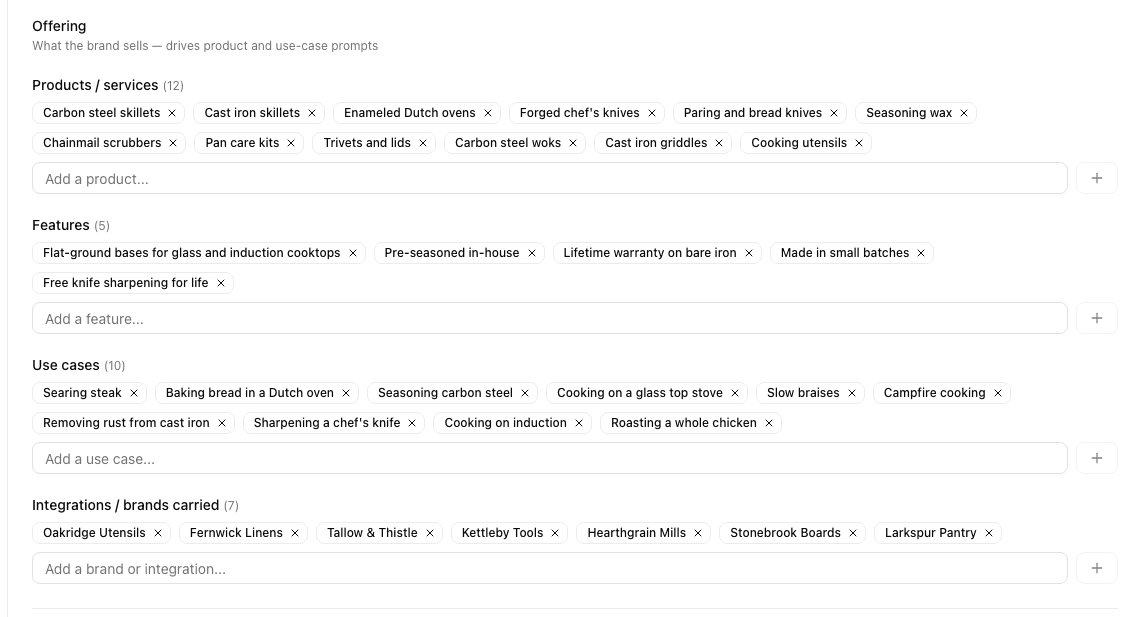
Ripenn reads your website and drafts a brand profile: the names you go by, what you sell, the use cases and personas you serve, the keywords that describe you and the competitors you are compared with, including the other ways their names get written.
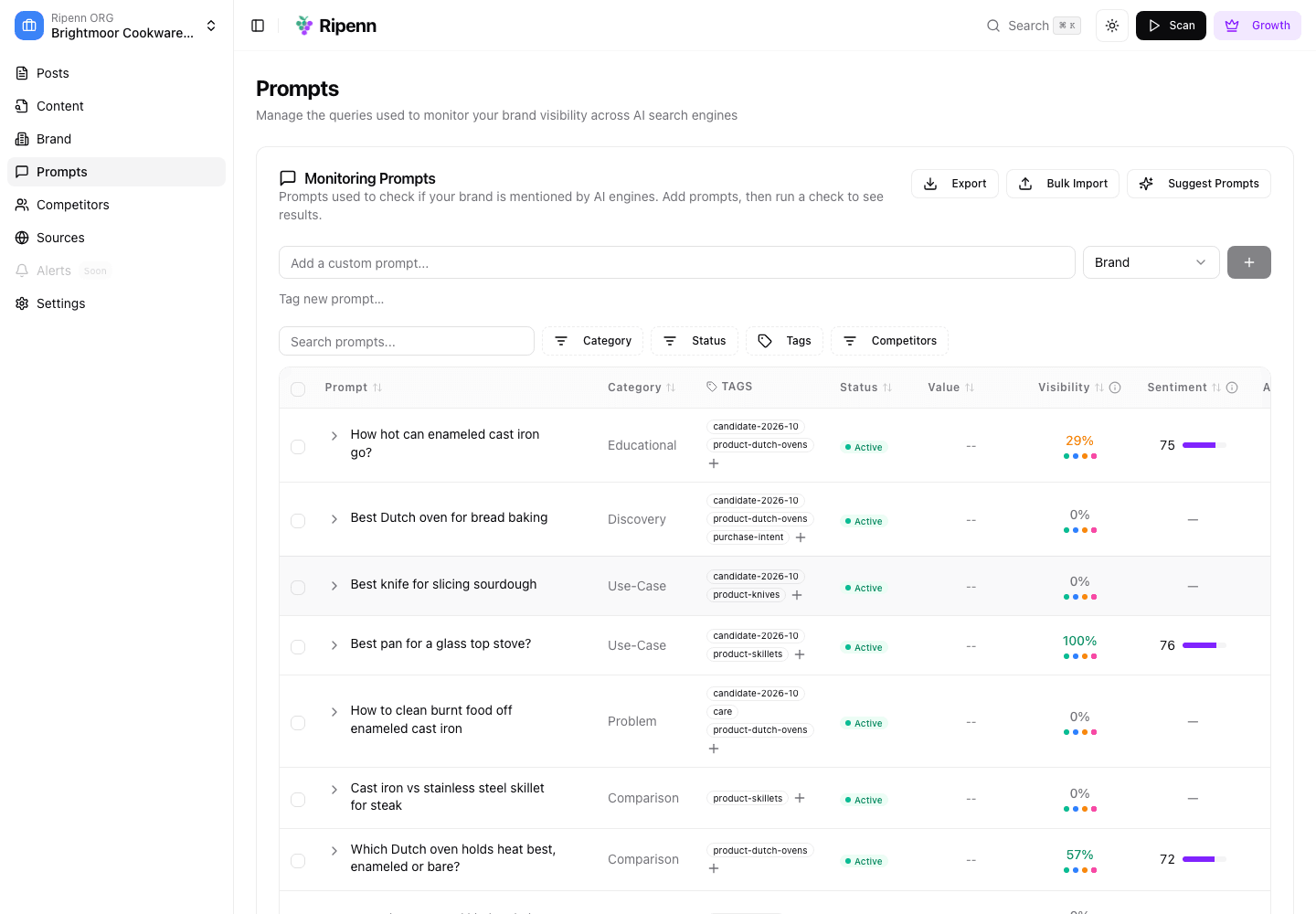
Prompts are the questions a buyer would type into an AI engine. Write them yourself, bulk import a list you already have, or take suggestions built from your site. Group them with categories and tags so you can read results by product line or buying stage instead of as one blended number.
Scans
Ask four engines, more than once
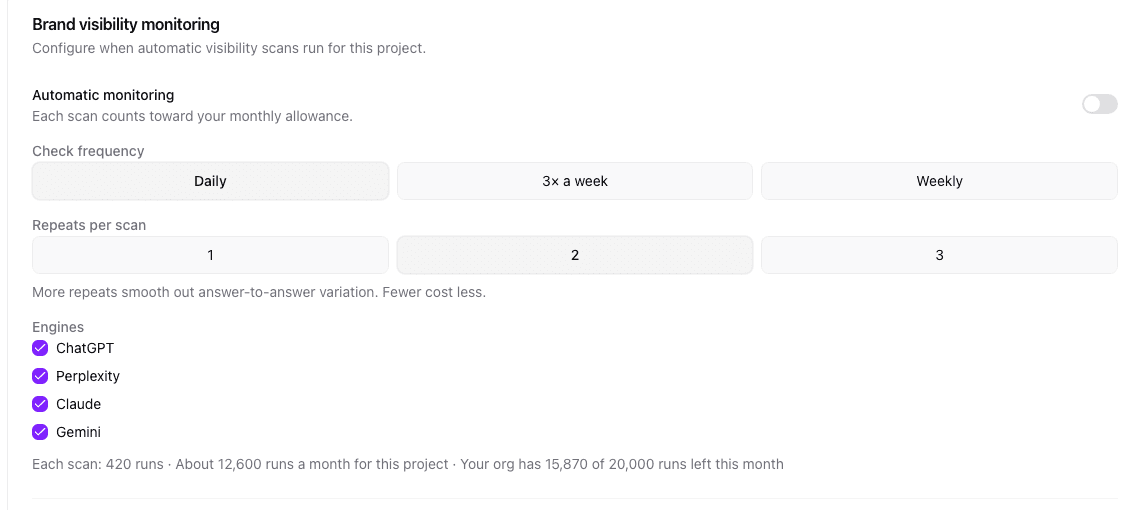
Every active prompt goes to the engines your plan includes, up to all four: ChatGPT, Perplexity, Claude and Gemini. Ask the same engine the same question twice and you can get a different set of brands, so Ripenn can repeat each prompt on each engine, up to three times, and count across the runs rather than trusting a single answer. When repeats are above one, Gemini is still held to a single run per prompt, so its numbers rest on fewer answers than the others.
Run a scan by hand when you want a reading now, or set monitoring to daily, three times a week or weekly. You choose which engines each scan covers, and the settings panel estimates the runs a schedule will use before you save it.
Visibility
Are you in the answer?
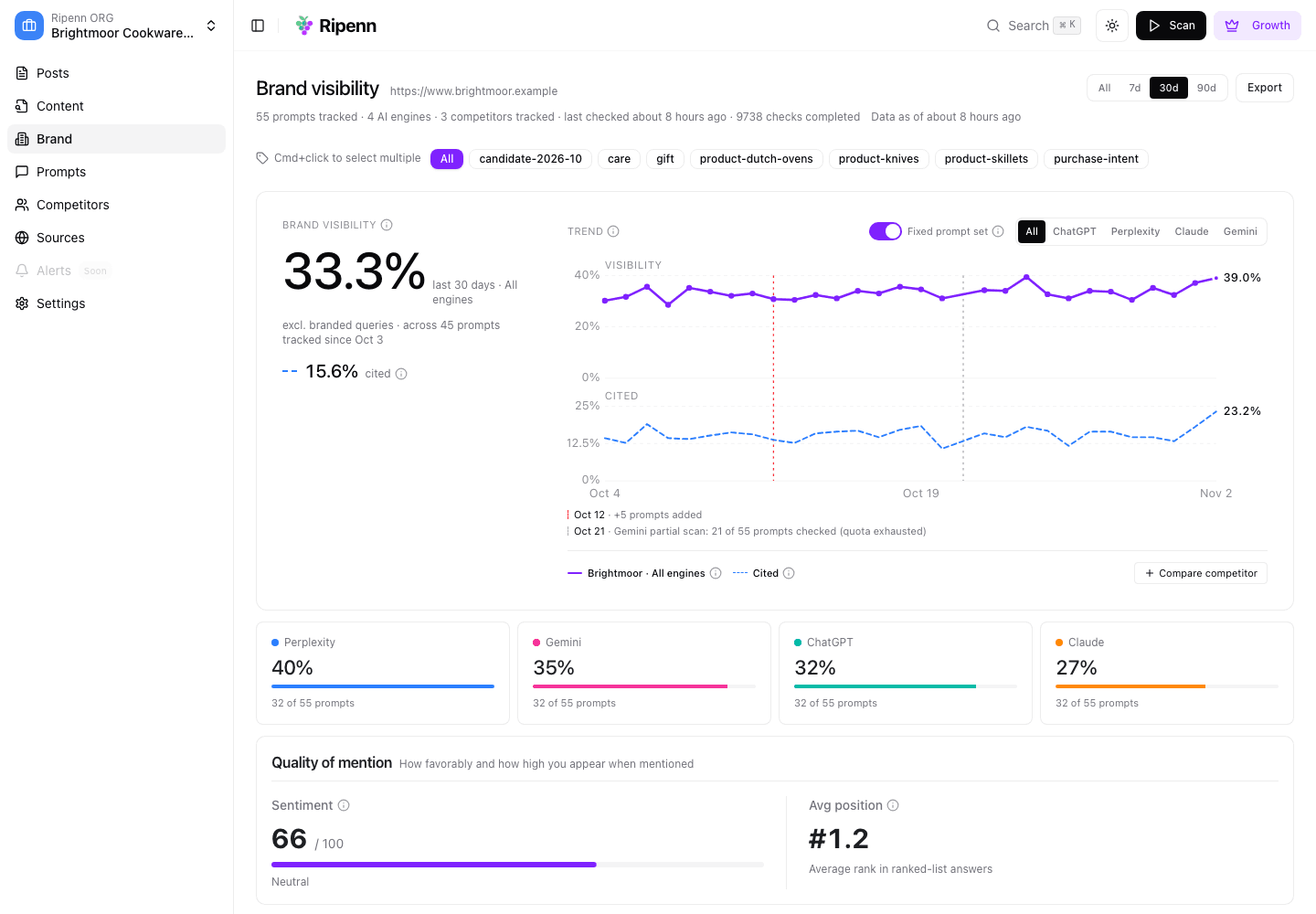
The Brand page shows how often engines mention you and how often they cite one of your pages, over the window you pick, from a week to a quarter, overall and engine by engine. Prompts that already name your brand are left out of the visibility number: a mention the question handed to the engine is not one you earned. Top performing prompts and gaps sit underneath, so the next thing to look at is already named.
A visibility line moves for two reasons: engines changed what they say, or you changed what you ask. The chart marks the days prompts were added, and a switch pins it to a fixed prompt set, so a step in the line is a change in visibility and not in what was measured.
Answers
Is the answer good for you? Read it.
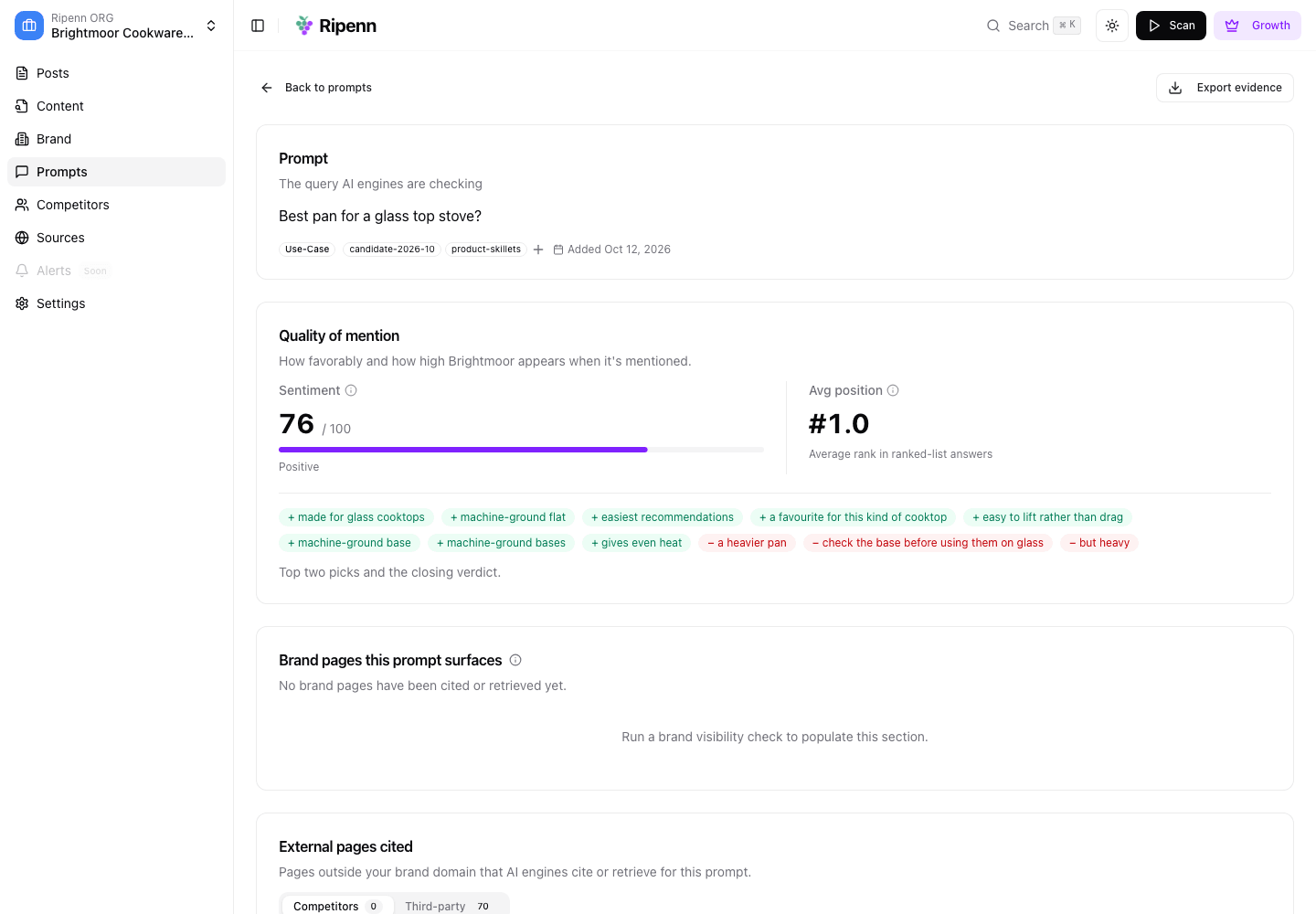
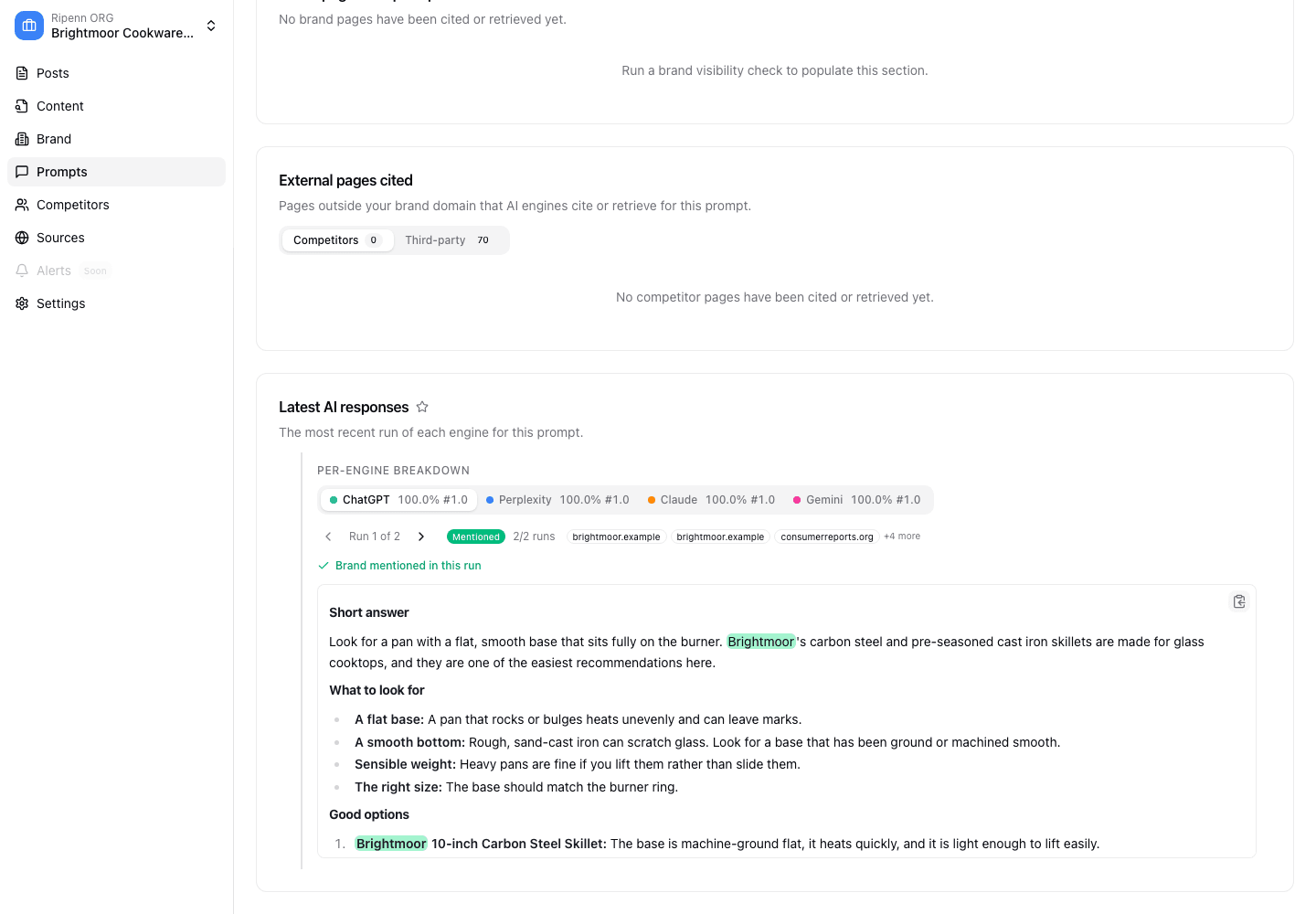
A mention can be a recommendation or a warning. Open any prompt and you get each engine's full answer, the positive and negative phrases behind its sentiment reading, and the pages it cited or retrieved, yours and everyone else's, with a breakdown by engine.
Every number on the Brand page traces back to answers you can read here. Average position is shown for reference only: where a brand lands in a list shifts from run to run, and we do not treat it as a reliable signal.
Competitors
Who else is in the answer?
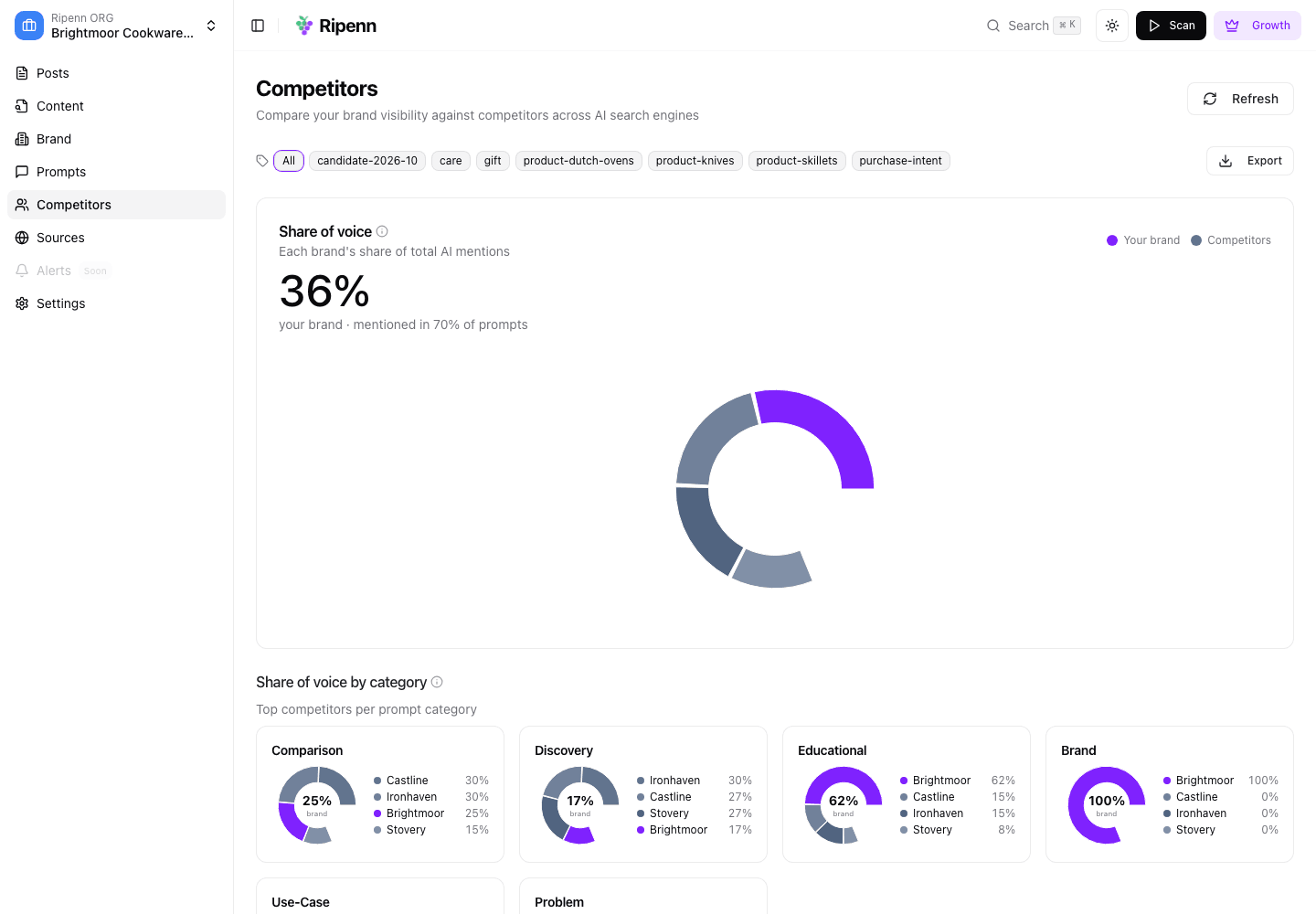
Share of voice shows how mentions split between you and the competitors in your profile, overall and by prompt category, with the top threats named.
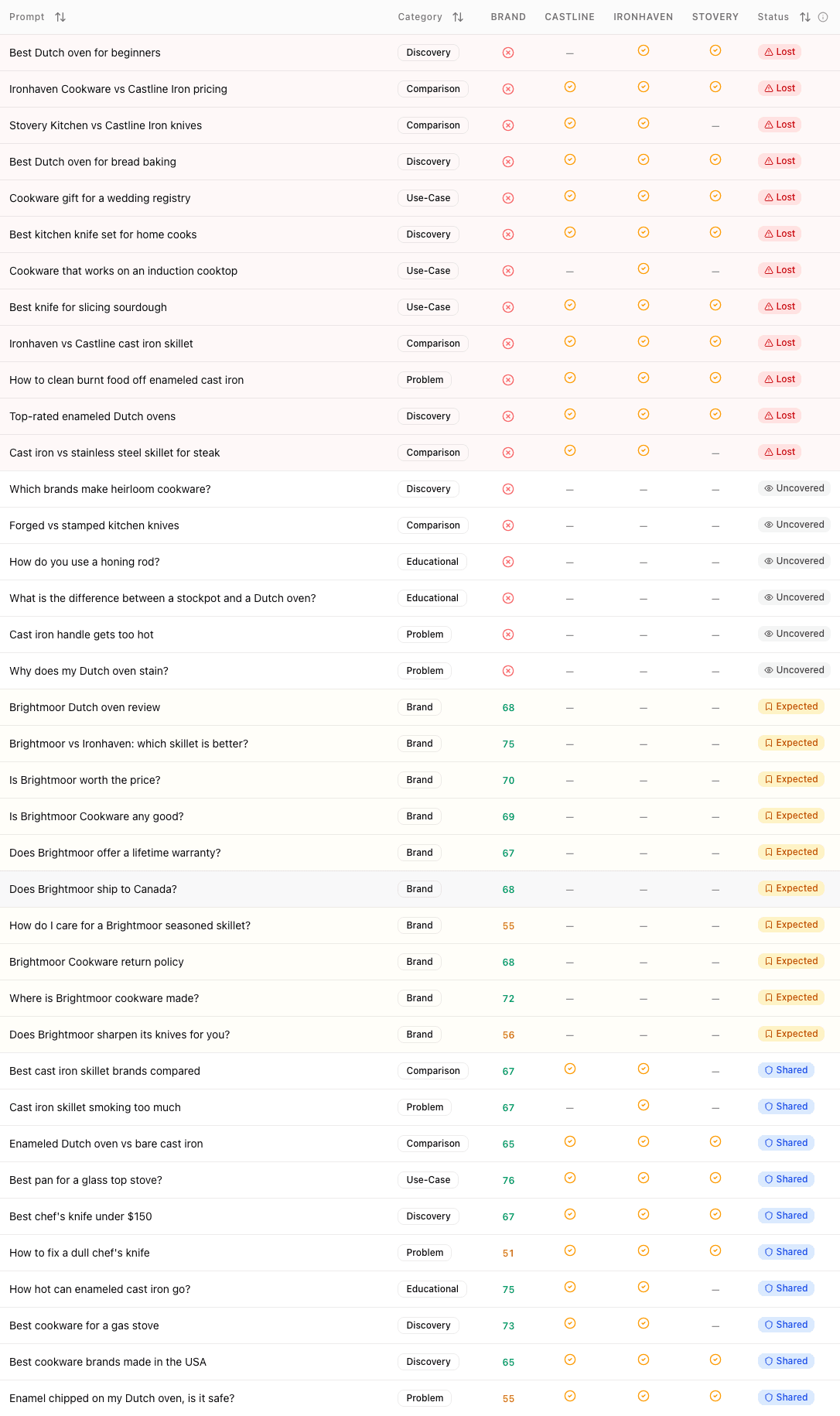
The ownership table gives every prompt a verdict against your direct competitors: Owned when you appear and none of them do, Shared when you both appear, Lost when one of them appears and you do not, Uncovered when nobody relevant appears, and Expected when you appear only because the question named you. Lost is the work list.
Sources
Are your pages behind the answer?
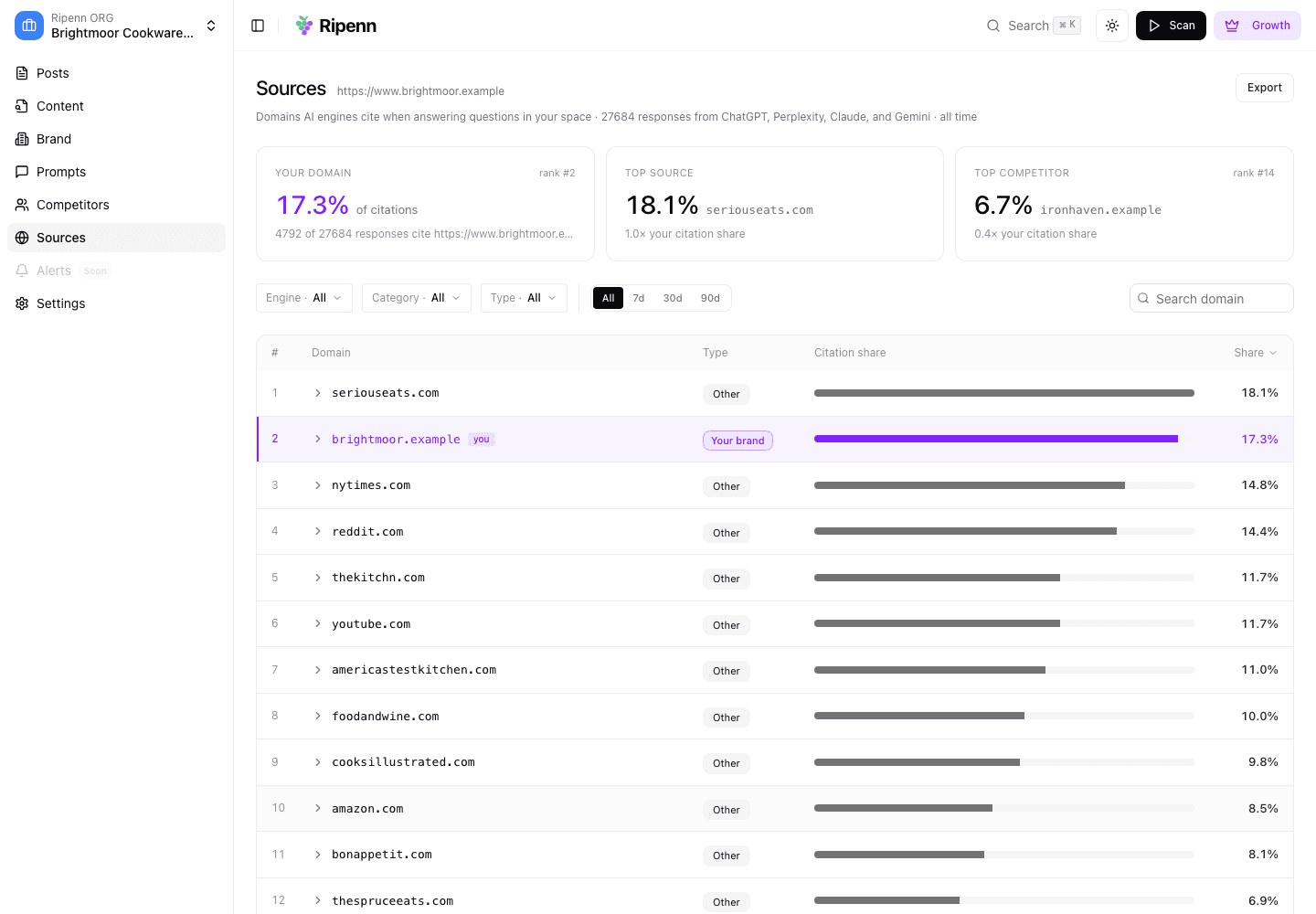
The Sources page ranks the domains engines cite when they answer your prompts, shows where your own domain sits, and compares you with the top source and your top competitor.
Open a domain to see which of its URLs each engine cites. What Ripenn can show here depends on what each engine exposes about its sources, so coverage is not the same from engine to engine.
Content
Which of your pages do the work?
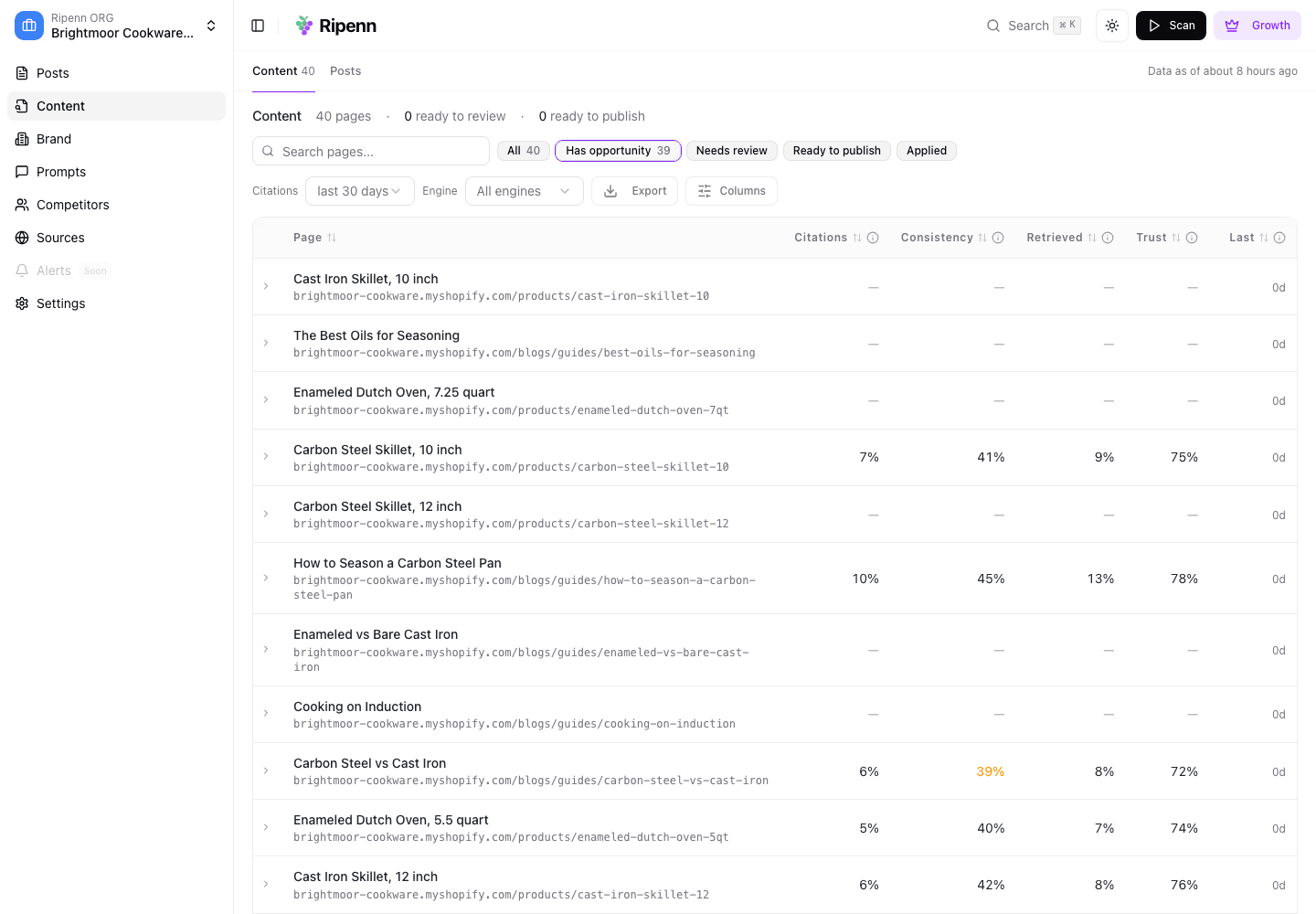
The Content table lists your pages with how often engines cite and retrieve each one, how consistently, and its trust ratio, next to Search Console clicks and Google Analytics sessions. Retrieval and trust are shown for the engines that expose what they retrieved. The opportunity filter narrows the table to pages with search demand that the engines cite little or not at all.
When you rewrite or publish a page, record it as a content action. The page's history then reads citations before and after the change, so a later move can be read against the work that came first.
Integrations
Bring your own data, take the numbers with you
Connect Google Search Console and Google Analytics so citations sit next to the traffic you already measure. Shopify stores can import their product catalogue.
Export your results to CSV or Excel. Query your projects from an AI assistant through the hosted MCP server. Team workspaces let colleagues work in the same projects.
- Search Console and Google Analytics
- Shopify catalogue import
- CSV and Excel export
- Hosted MCP server
- Team workspaces
Every number, defined
The methodology page sets out how each metric is computed and what it does not claim. Pricing lists what each plan includes. Or start a project and read your own answers.
The screenshots on this page show Brightmoor Cookware, a fictional brand we created to demonstrate the product. The data is illustrative.